
Staff and theft control
Peace of mind when you're not at the counter
Every bill, discount, return, price change and stock change is linked to the person who made it, and the owner is alerted on the phone. Included in RC One and RC Multi, desktop and cloud.

 Ask on WhatsApp
12 controls
What RetailCore records and controls
Every control below is in both RC One and RC Multi.
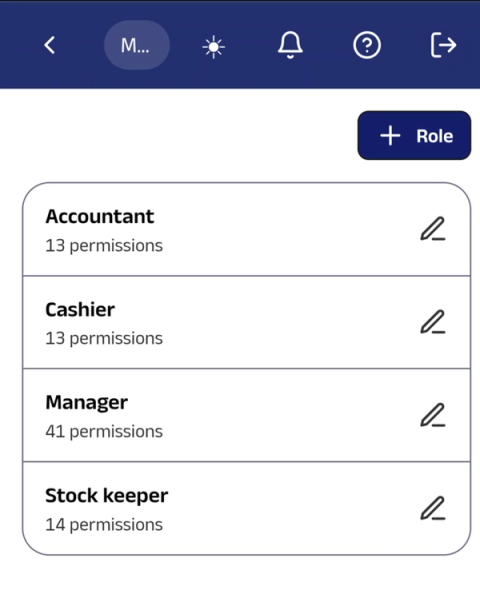
Staff roles and permissions
Each person sees and does only what their role allows.
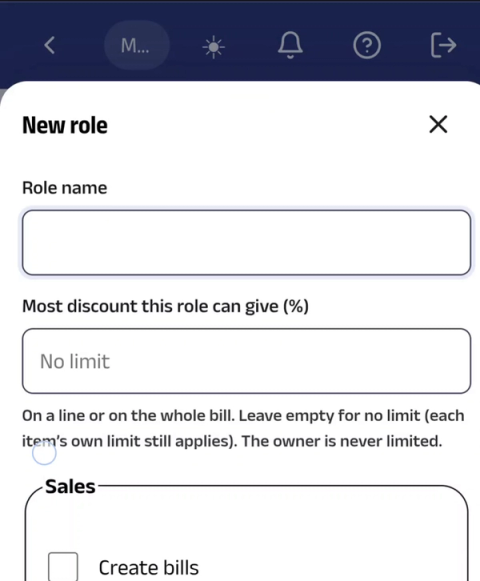
Discount limits by role
A salesperson can give only up to the limit you set. Anything higher needs a manager or the owner.
Bill cancel and edit control
Cancelling or changing a saved bill needs permission, and is recorded with the name and time.
Removed-item tracking
If an item is scanned and then taken off a bill before saving, it is recorded.
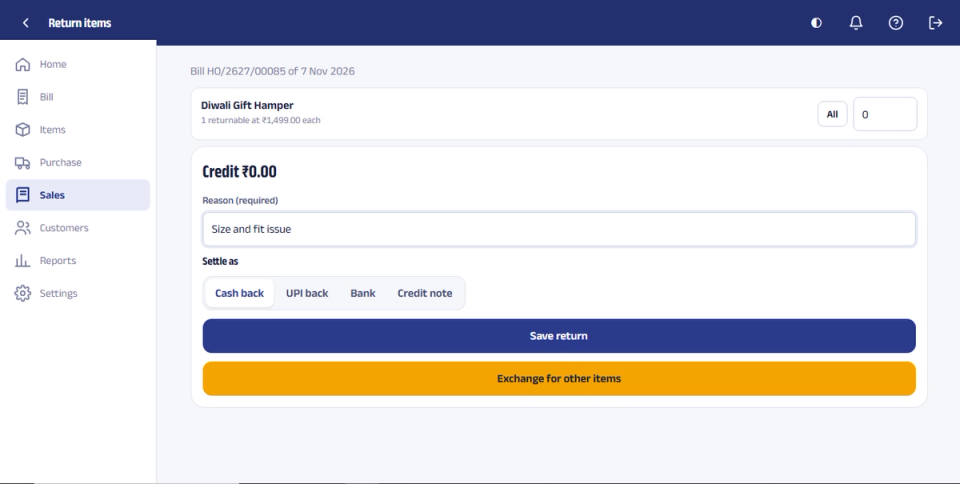
Return with a reason
A return can't be saved without a reason, and you choose how it is settled: cash, UPI, credit note or exchange.
Price change history
Shows who changed a selling price or MRP, and when.
Stock adjustment locked
Only allowed roles can adjust stock, and every change is recorded.
Day-end cash tally
Counter cash is checked against the system, and any difference is shown.
Login limits
Staff can log in only at set times or from approved devices.
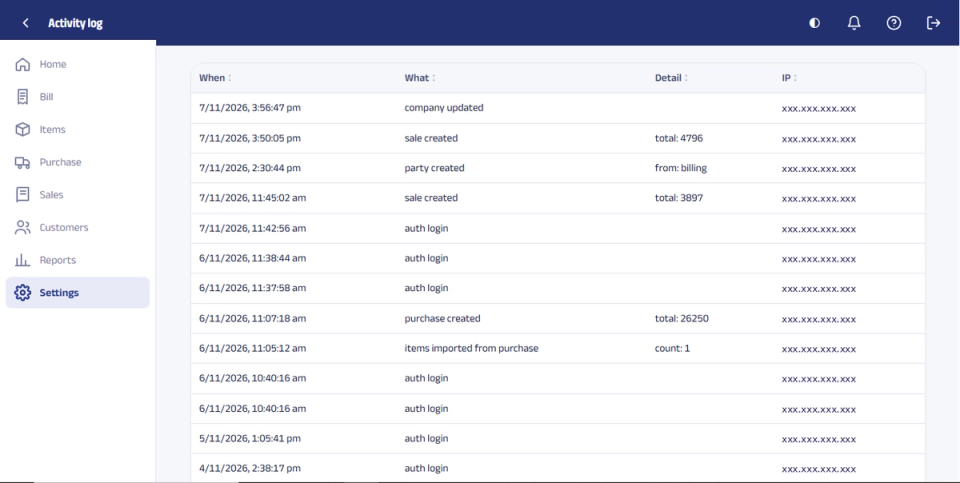
Activity log
A record of who logged in and what they did.
Owner alerts on the phone
Alerts for cancelled bills, big discounts, returns and low stock.
Stock audit by scanning
Scan the shelves with AuditCore and get a short-and-excess report in hours, so missing stock shows up early.
Real screens
See it in RetailCore
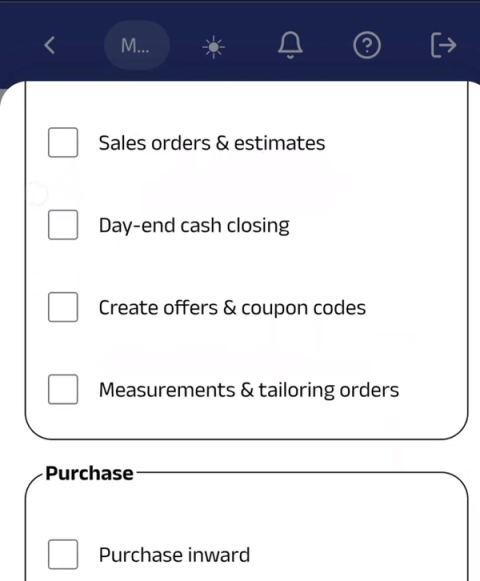
Screens from the software itself, on a computer and on a phone. IP addresses are hidden.
How it works
How it works in your shop
- 1
Set roles and limits
Decide what each person can do, how much discount they can give, and when they can log in.
- 2
Staff bill as usual
Billing stays fast. The controls work in the background.
- 3
Every action is recorded by name
Bills, cancellations, removed items, returns, price and stock changes, with the name and time.
- 4
You get alerts on your phone
Cancelled bills, big discounts, returns and low stock, wherever you are.
- 5
Check cash and stock
Tally the counter cash at day end, and audit stock by scanning to find gaps early.
Questions about staff and theft control
Straight answers. Software makes every action visible; good store practices still matter. Ask us on WhatsApp
How does RetailCore help stop staff theft in my shop?
Every bill, discount, return, price change and stock change is recorded with the staff member's name and time. Discount limits, locked bill changes, a day-end cash tally and stock audits by scanning make mistakes and misuse easy to spot. Alerts on your phone tell you about cancelled bills, big discounts and returns. This works in both RC One and RC Multi.
Can I limit how much discount each staff member can give?
Yes. Set a discount limit for each role. A salesperson can give only up to that limit, and a higher discount needs a manager or the owner.
Will I get alerts on my phone when I'm not in the shop?
Yes. The owner gets alerts on the phone for cancelled bills, big discounts, returns and low stock.
Does software alone stop theft?
No. RetailCore makes every action visible and traceable, which discourages misuse and helps you act quickly. Good store practices still matter, such as CCTV, regular stock audits and clear rules for staff.
Can I see who changed a product's price?
Yes. The price change history shows who changed the selling price or MRP, and when.
Can I check the cash at the counter at day end?
Yes. The day-end cash tally compares the cash counted at the counter with the system and shows any difference.
Can I stop staff from logging in after shop hours or from their own phone?
Yes. Login limits let staff log in only at set times or from approved devices.
Will I get alerts on my phone when I'm not in the shop?
Yes. The owner gets alerts on the phone for cancelled bills, big discounts, returns and low stock.
Can RetailCore find stock that has gone missing?
Run a stock audit by scanning with AuditCore. You get a report of what is short and what is in excess, so you can find the gap early and check it.
Does software alone stop theft?
No. RetailCore makes every action visible and traceable, which discourages misuse and helps you act quickly. Good store practices still matter, such as CCTV, regular stock audits and clear rules for staff.
Try it with your own staff and products
- Free trial with your own products
- We help you set up roles and discount limits
- In RC One and RC Multi, desktop and cloud